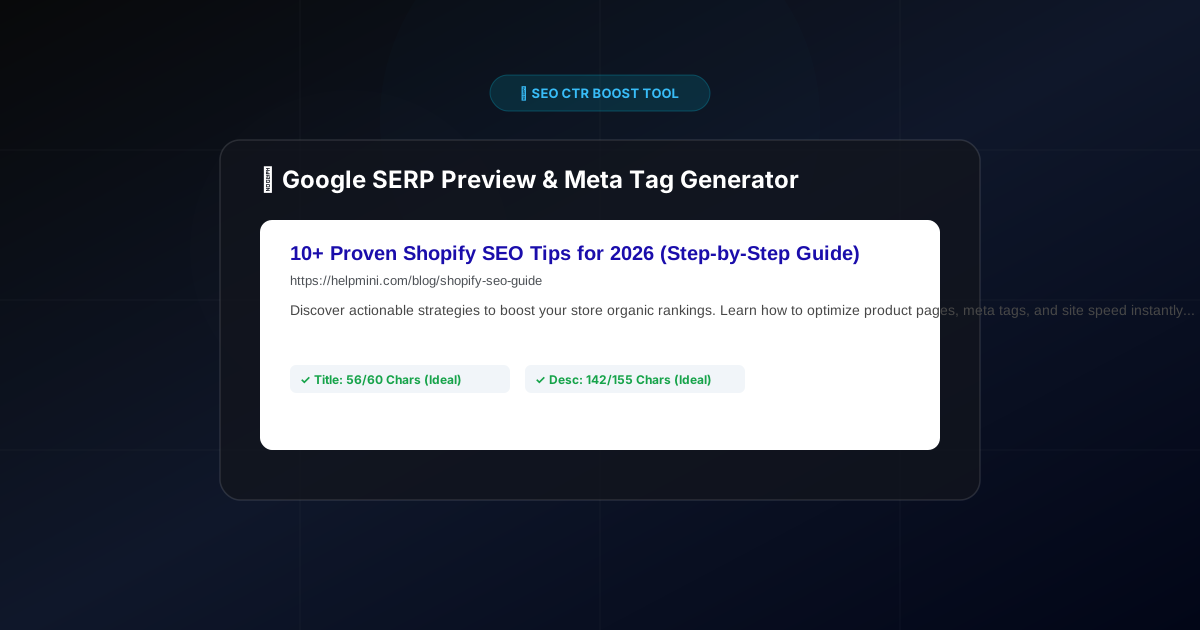
5 Rules for Writing High-CTR Google Meta Titles & Descriptions (Free SERP Preview Tool)
Many website owners and content creators share a common misconception: “Once my page ranks on page one of Google, traffic will automatically flood in.”
Unfortunately, search data tells a different story. You can easily rank in the top 3 spots on Google and still suffer from pitifully low click-through rates (CTR).
Why? Because your Meta Title and Meta Description failed to convince the searcher to click.
They are the very first impression users have of your website on the Google Search Engine Results Page (SERP) — effectively your digital storefront and billboard.
Why Meta Tags Are Crucial for SEO & Conversions
- Direct Impact on CTR: An irresistible title and a compelling summary increase click-through rates. Higher organic CTR signals to Google that your page satisfies user intent, helping lock in or raise your rankings.
- Prevent Ugly Truncation: If your title exceeds 60 characters (~600px width), Google will chop it off with an ugly
.... If your description is too long, your core call-to-action gets hidden. - Match Search Intent: Highlighting key benefits and keywords helps searchers immediately verify that your page holds the answer they need.
5 Rules for High-CTR Meta Tags
Rule 1: Master the Character Limits
- Meta Title: Keep it between 50 – 60 characters.
- Meta Description: Aim for 120 – 155 characters.
Rule 2: Front-Load Primary Keywords
Place your primary focus keyword near the beginning of the title. Both Google’s ranking algorithm and human eyes scan titles from left to right.
Rule 3: Use Numbers and Brackets
Titles containing numbers (e.g., “10 Proven Tips”, “Updated for 2026”) or brackets (e.g., “[Step-by-Step]”) consistently achieve up to 30%+ higher CTR than plain text titles.
Rule 4: Include a Clear Call to Action (CTA)
In your Meta Description, tell searchers what to do next: “Discover the best practices today,” “Try our free tool now,” or “Learn how to get started.”
Rule 5: Keep Every Page Unique
Never use duplicate meta tags across multiple pages. Every page on your site serves a distinct purpose and deserves custom meta data.
🔍 Free Tool: Generate & Preview Google SERP Tags Instantly
To help you check character counts in real time and generate CTR-boosted meta tags in seconds, we built a free browser-based tool:
👉 Try the Free SEO Meta Title & Description Generator
Key Capabilities:
- Live Google SERP Card Preview: See exactly how your title, URL, and snippet will render on a Google search page before publishing.
- Character Overflow Alerts: Get instant green/yellow warning badges if your text risks truncation.
- Multi-Style AI Templates: Generate both High-CTR and Professional/Authority style metadata with a single click.
Wrap Up
Fixing your meta tags is one of the fastest, lowest-hanging fruit optimizations in SEO. Paste your page topic into our SEO Meta Generator today and start capturing more organic traffic from Google!